Information and documents for Group Leaders
The Insurance Cover note for 2026 and other Policy Documents can be found on the here Policies and Guidelines page.
Just click on the buttons above, the documents will open in a new tab:
1. The Personal Emergency Information Form - for members to carry. Some may prefer to carry the information on their Smart phones.
If you need further assistance click here
2. The Venue Check list- risk assessment for Interest Groups, to do on the day of the meeting to check there aren't any hazards.
3. The Walk Leader risk assessment check - to use on walk checks. 3a) Group Attendee ListTemplate
4. DOC format of Incident Report Form
5. PDF of the Incident Report Form
6. PDF of the notes from the Group Leader meeting February 8th 2024
7. PDF of the presentation from the Group Leader meeting February 8th 2024
8. PDF of Beacon Training Slides
9. PDF Expenses Form
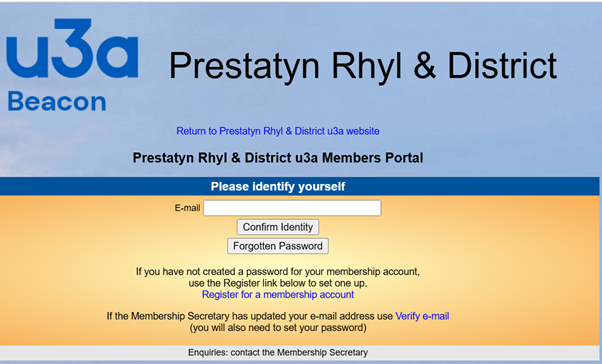
Group Leaders are encouraged to use Beacon to to keep the list of your group members up to date.
You can also use Beacon to check if someone who asks to join group is a member. Non - members are covered by u3a insurance to attend two tasters sessions. That can be two sessions with one group or 1 session in two different groups. (That includes a 'taster' at an Open Meeting,)
Non members that continue to attend our Interest Groups will NOT be insured and may comprise our u3a insurance cover for the whole of Prestatyn, Rhyl and District u3a, This includes members of other u3as.
Members of other u3as may join Prestatyn Rhyl and District u3a as an associate member at a reduced rate.
Updating group listings on the website
The main reason members join our u3a is for the groups that you run. So, thanks to you for the time and effort you put into running your groups for your members.
For the majority of our members the website is how they find out about what we have to offer, so please make sure your groups information is kept up to date.
If you would like an update for your group pages, please send your updates to the Groups Co-ordinator
In the Contact Form Fields please add the following details-
Your Name: type your name
Your email address:type your email address
Message subject:type the name of the group you are updating.
Your message: please type the exact text you want show on your group page.
NB the contact form won't allow you to send attachments so please advise if you have any and only send them by return after receiving a response from the Groups Co-ordinator.
Please send your images as an attachment, (NOT in the body of an email), it can be difficult to retrieve them from the body of an email. Also emails compress the files, and we want the image quality to be the best.
You need to advise:
1. the group page the image or photograph is to be shown on.
2. where the photographs were taken.
3. that the people in the photographs have given their permission to be photographed.
4. who took the photographs and do we have their permission to use it.
Please note that we can't upload any photographs that might be subject to copyright.